Trading Platforms

App & Desktop

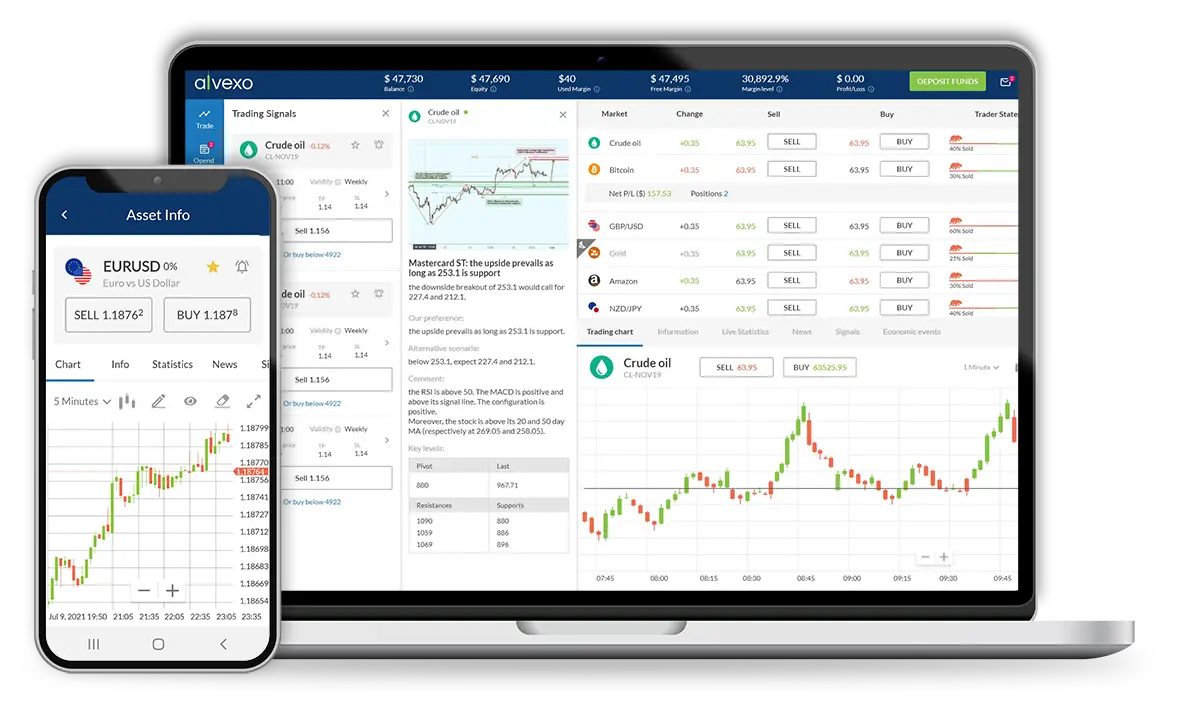
This project centers on developing seamless mobile and desktop trading platforms for CFD trading, designed to engage users at every level of their trading journey. Through a Product-Led Growth (PLG) model, the platforms allow free access to core features, with additional premium options unlocking as users deepen their engagement.

Native Mobile App
Available on Google Play and the App Store, the app’s intuitive design enables users to trade on the go, with quick access to essential trading tools. As users progress, they unlock premium features like webinars, asset data, and trading signals, enhancing their trading experience.

Desktop Platform
A browser-based platform offering a comprehensive suite of tools tailored for advanced traders. Its robust interface includes tiered packages, allowing users to access more sophisticated trading options and analytics as they increase engagement, providing a powerful experience for professional traders seeking in-depth analysis.
Years

2019-2021

Role

UX Lead, Product designer

Product

Native app

Native app & Desktop platforms

Design Process

Challenges

  • Use brand guidelines to maintain consistency across platforms.
  • Compete with leading trading platforms while offering unique features.
  • Cater to users from beginners to professional brokers with ease of use.
  • Offer VIP features like advanced signals and exclusive content without cluttering the user experience.

My Role – Lead product designer

I led the creation of the trading platforms for both mobile and desktop. I managed a team of two product designers and oversaw the entire design process from ideation to final delivery. My primary focus was on ensuring a user-centered design approach while aligning with the business’s goals to create a seamless trading experience for users across different skill levels.

I collaborated closely with the lead product manager and her team to define the product requirements, ensuring clear acceptance criteria. We conducted multiple discovery sessions to identify core features and user needs. Additionally, I worked hand-in-hand with the R&D team, participating in technical discovery, providing design deliverables, and assisting with Q&A throughout development.

Customer insights played a pivotal role in the design process. I maintained an ongoing feedback loop with the customer support and sales teams, ensuring we addressed real-world user pain points and continuously refined the platform to meet user expectations.

Competitive Analysis

To ensure the trading platforms we developed stood out in a competitive market, we conducted a thorough analysis of key competitors: eToro, Plus500, and IG Markets. This comparison helped identify strengths and weaknesses in their design, features, and user experiences, allowing us to refine our approach and deliver a more comprehensive and user-friendly trading solution.

Positives
  • Social Trading Features: Allows users to follow and copy other traders’ strategies.
  • User-Friendly Interface: Clean and intuitive design, suitable for beginners.
  • Multi-Asset Platform: Supports various asset classes like stocks, forex, and cryptocurrencies.
Negatives
  • Limited Customization: Users have limited options to customize charts and dashboards.
  • Overcrowded UI: The dashboard can feel cluttered with social features.
  • High Spreads: Fees for trading are often higher compared to other platforms.
eToro Plus500 IG Markets
User Interface Design Modern, user-friendly, and social trading features. Clean, but lacks advanced customization. Professional interface, rich in trading tools.
User Experience (Ease of Use) Simple for beginners, social trading, copy trading. Easy to navigate, focused on beginners. Intuitive but requires knowledge of advanced tools.
Customization Limited customization, focused on simplicity. Minimal customization options. Advanced customization options for experienced traders
Educational Resources Extensive resources for beginners and social traders. Limited education, focused on quick trades. Comprehensive educational tools and webinars.
Advanced Features Copy trading, social feed, multi-asset platform. Wide asset range but no copy trading. Professional tools, advanced analysis features.
Mobile Experience Robust mobile app with full trading features. Solid mobile experience with basic features. Full-featured mobile app, but more complex.
Positives
  • Simple and Efficient: Easy-to-navigate interface, great for beginners.
  • Low Minimum Deposit: Accessible entry point for new traders with small accounts.
  • Wide Asset Selection: Offers a broad range of markets, including stocks, indices, and forex.
Negatives
  • Lack of Advanced Tools: Limited tools for advanced traders who require in-depth analysis.
  • No Social Trading: Doesn’t offer community-based or copy trading options.
  • No Educational Resources: Minimal resources for beginner traders to learn strategies.
Positives
  • Comprehensive Platform: Offers advanced tools for professional traders.
  • Wide Range of Markets: Trade forex, stocks, indices, and more with detailed market insights.
  • Mobile Trading App: Provides full trading functionality and advanced charting on mobile.
Negatives
  • Complex for Beginners: Advanced features may overwhelm new users.
  • High Minimum Deposit: The platform requires a higher initial deposit to start trading.
  • High Fees: Premium services and trading on some markets come with higher fees.

User Personas

To ensure the personas are accurately aligned with trading platform users, I conducted research on the user levels. These four levels—Beginners, Intermediate, Advanced Users, and Brokers—are standard classifications in trading platforms, but I’ll provide an analysis to ensure we cover the needs of each.

Persona 1: Beginner Users

Profile
New to trading, exploring basic concepts and looking for simple tools.

Familiarity
No experience with trading platforms, often rely on demos or tutorials.

Needs
Easy-to-understand interface, educational resources, low-risk trading options.

Pain Points
  • Confusion with complex features and technical terms.
  • Fear of losing money due to lack of knowledge.
  • Limited understanding of charts and market data analysis.
Persona 2: Intermediate Users

Profile
Have some experience trading, familiar with basic tools and concepts.

Familiarity
Comfortable with basic trading features, not using advanced tools yet.

Needs
Access to more advanced features, educational content to improve trading strategies.

Pain Points
  • Struggling to transition from basic to advanced trading tools.
  • Finding it hard to stay up-to-date with market trends.
  • Difficulties understanding in-depth market analysis.
Persona 3: Advanced Users

Profile
Experienced traders using more sophisticated tools and techniques.

Familiarity
Familiar with advanced charting, market indicators, and various trading strategies.

Needs
Advanced features like detailed market analysis, customization, and fast execution.

Pain Points
  • Limited customization of charts and indicators.
  • Need for fast execution and lower latency during high volatility.
  • Lack of advanced analytics tools.
Persona 4: Brokers

Profile
Professionals managing trading clients’ accounts, handling large trades.

Familiarity
Expert knowledge in trading, experienced with professional trading tools.

Needs
Professional-level tools, in-depth market data, advanced order types, and customization.

Pain Points
  • Platform instability or latency during high-volume trading.
  • Limited access to advanced order types or bulk trading features.
  • Difficulty managing multiple accounts or trades at scale.

Design Approch

To create a standout trading platform that caters to a diverse user base, our design approach is guided by the following key principles:

Balancing Simplicity and Functionality
The interface must be simple enough for beginners to navigate but robust enough to meet the needs of advanced traders and brokers without sacrificing core functionality.

Customization for All Levels
Offer flexible customization options that allow users to tailor their experience, ensuring both novice traders and professionals can adjust the platform to suit their needs.

Competing with Leading Platforms
Based on competitor research, we aim to combine user-friendly design elements with advanced tools to provide a comprehensive experience that competes with top trading platforms like eToro and IG Markets.

Design System

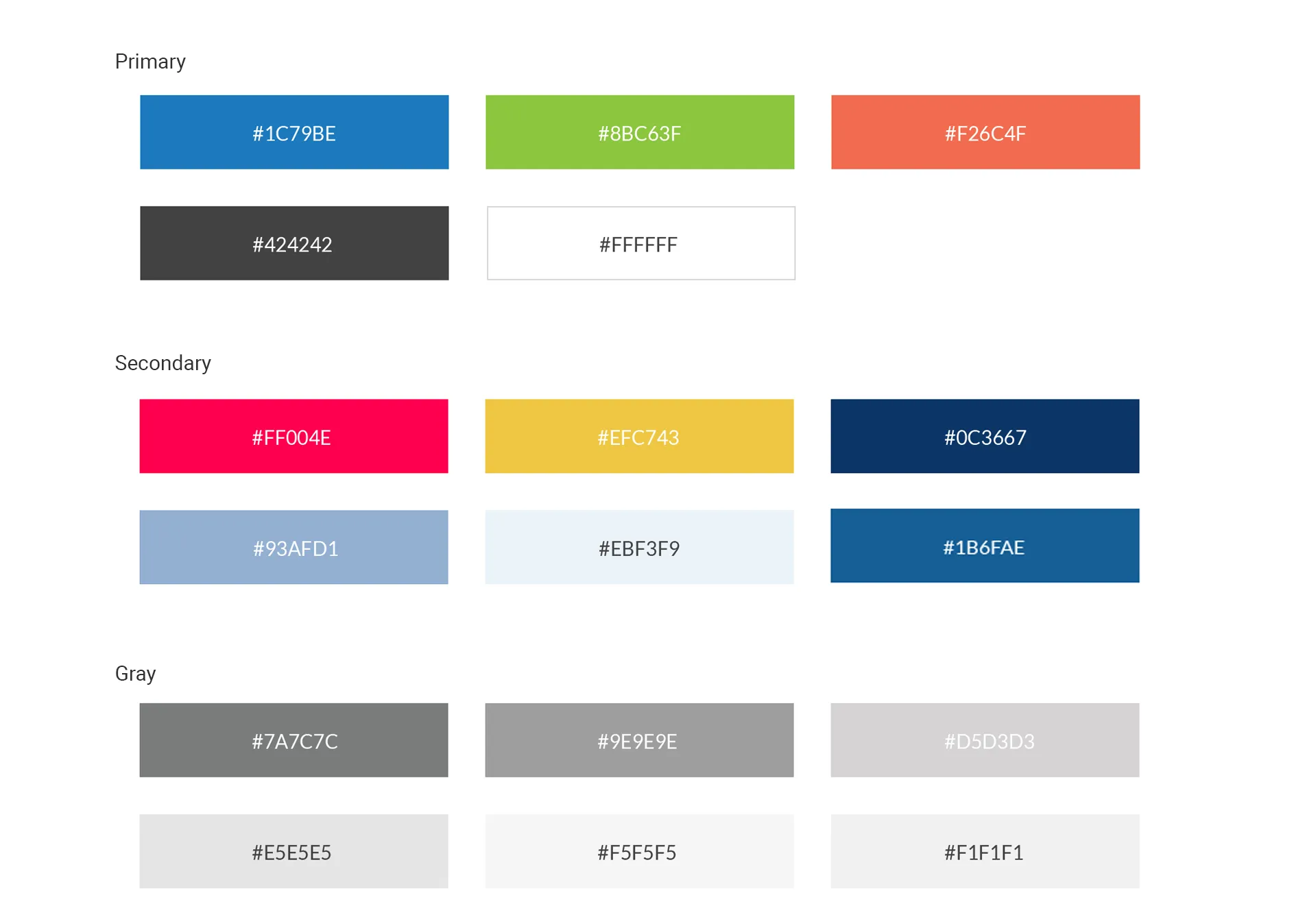
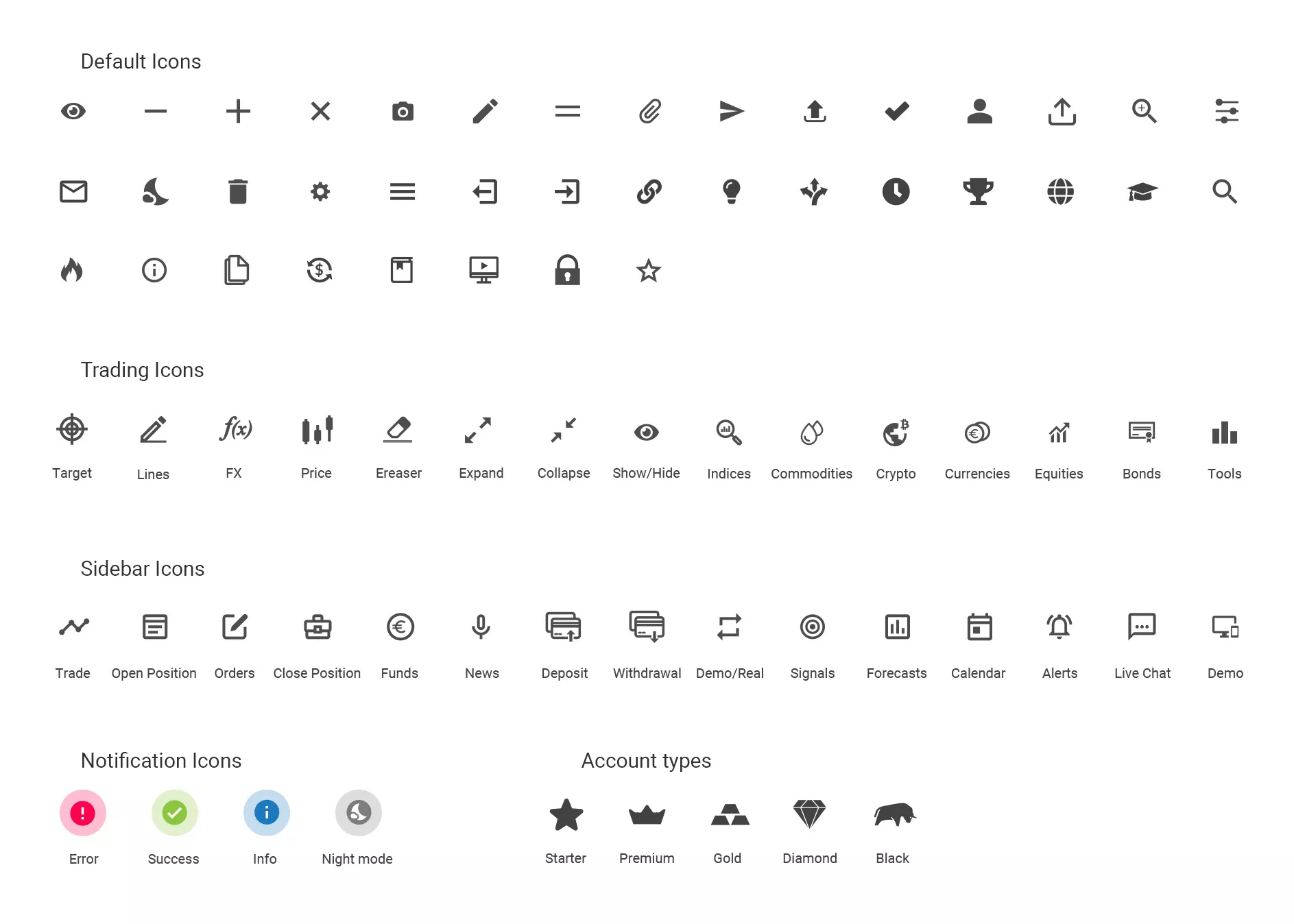
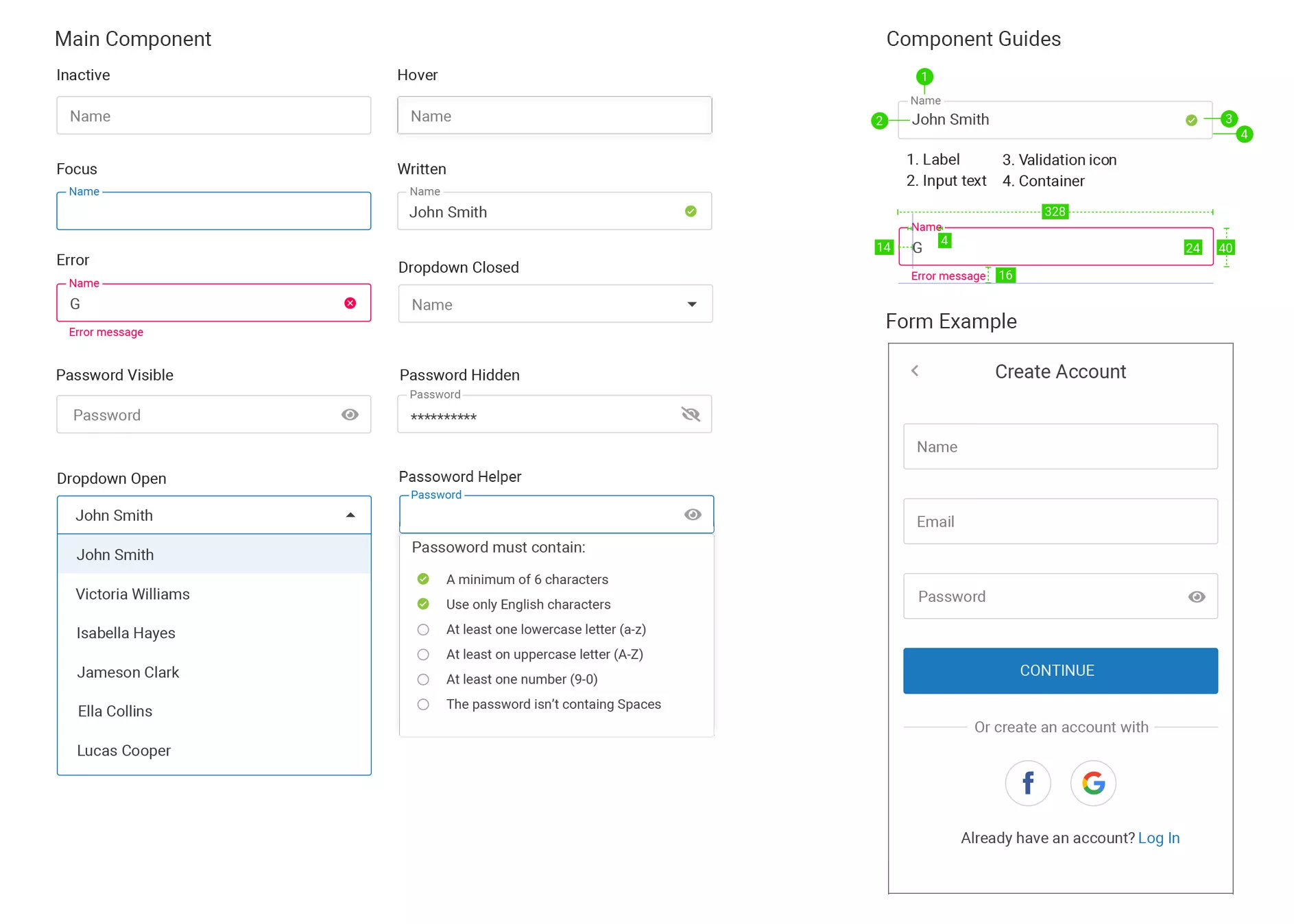
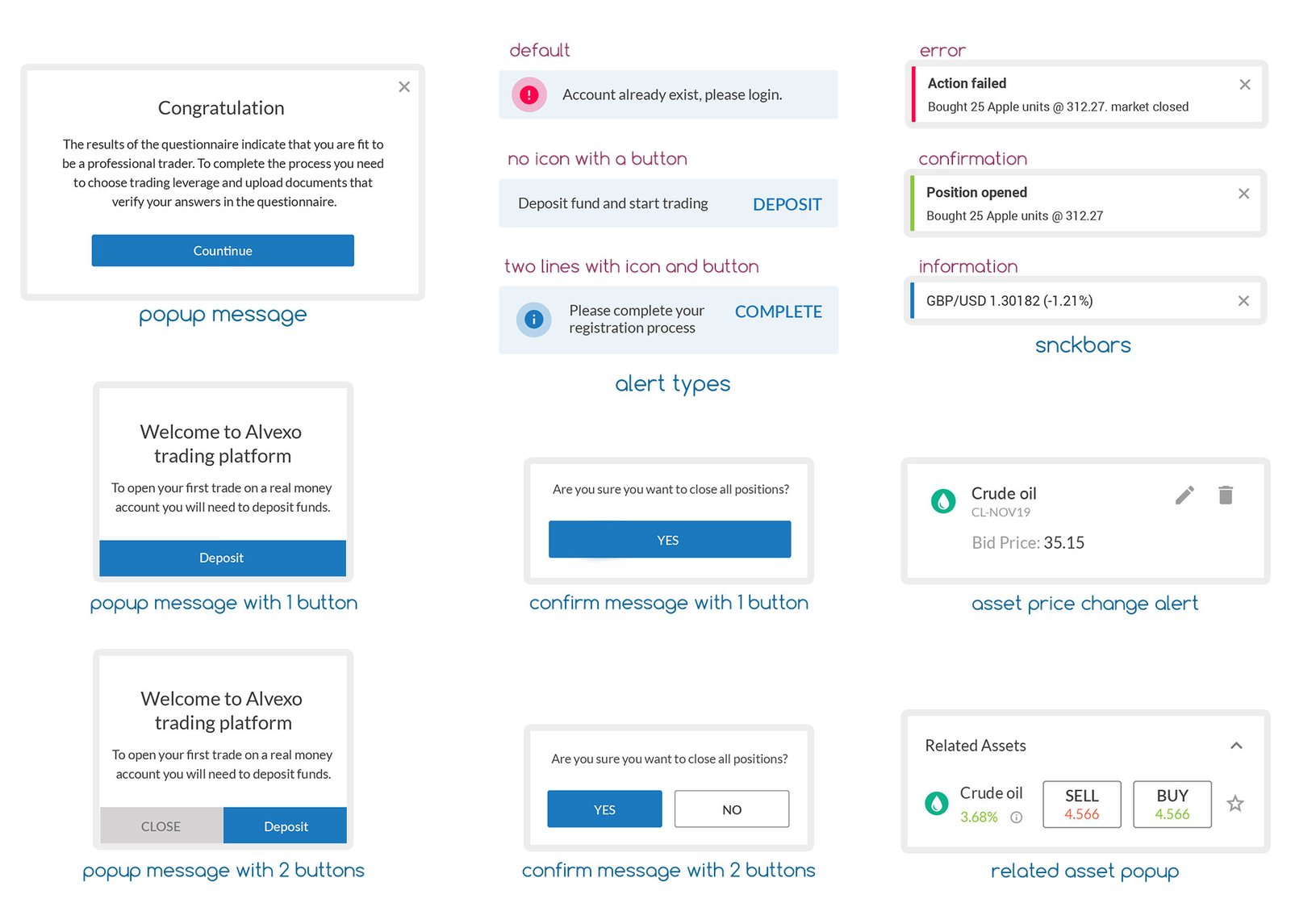
The design system for this project was built to ensure consistency across both the mobile and desktop platforms. It adheres to the brand’s established guidelines while incorporating flexible components that can scale across different user levels, from beginners to advanced traders.

The system includes a cohesive set of UI elements, typography, color schemes, iconography and other components that promote usability and visual clarity. By standardizing components such as buttons, forms, and navigation, the design system streamlines development and ensures a seamless user experience, regardless of the device being used.

Colors
Buttons
Icons
Text Fields
PopUps
Components

The Platforms

Native app Platform

Allows users to trade effortlessly from anywhere, offering key features such as live trading, real-time signals, and market updates. The app provides access to detailed financial analysis with intuitive charting tools and an economic calendar, ensuring users stay informed about global financial events. Notifications and alerts help traders act quickly, while a dedicated tutorial section supports both beginners and intermediate traders with easy-to-follow educational content.

Trading signals

a live signals notifications service generated by alvexo’s analysis team, either to buy or sell assets in a specific point of price.
null

Live trading platform

Where the action really is, buying and selling assets with live data and graphs system.
null

Economic calender

Financial news desk with articles updated daily and economic calendar for all financial events.
null

Notifications & Alerts

an Inelegant notification system : trading signals, financial & economic events etc..
null

User management

Rich user interface included social login & profile, account type, secure identification & payments.

Tutorials & Academy

series of tutorial videos for the beginner and intermediate trader included weekly webinars and video academy.

Alvexo - app's promotion

Asset List

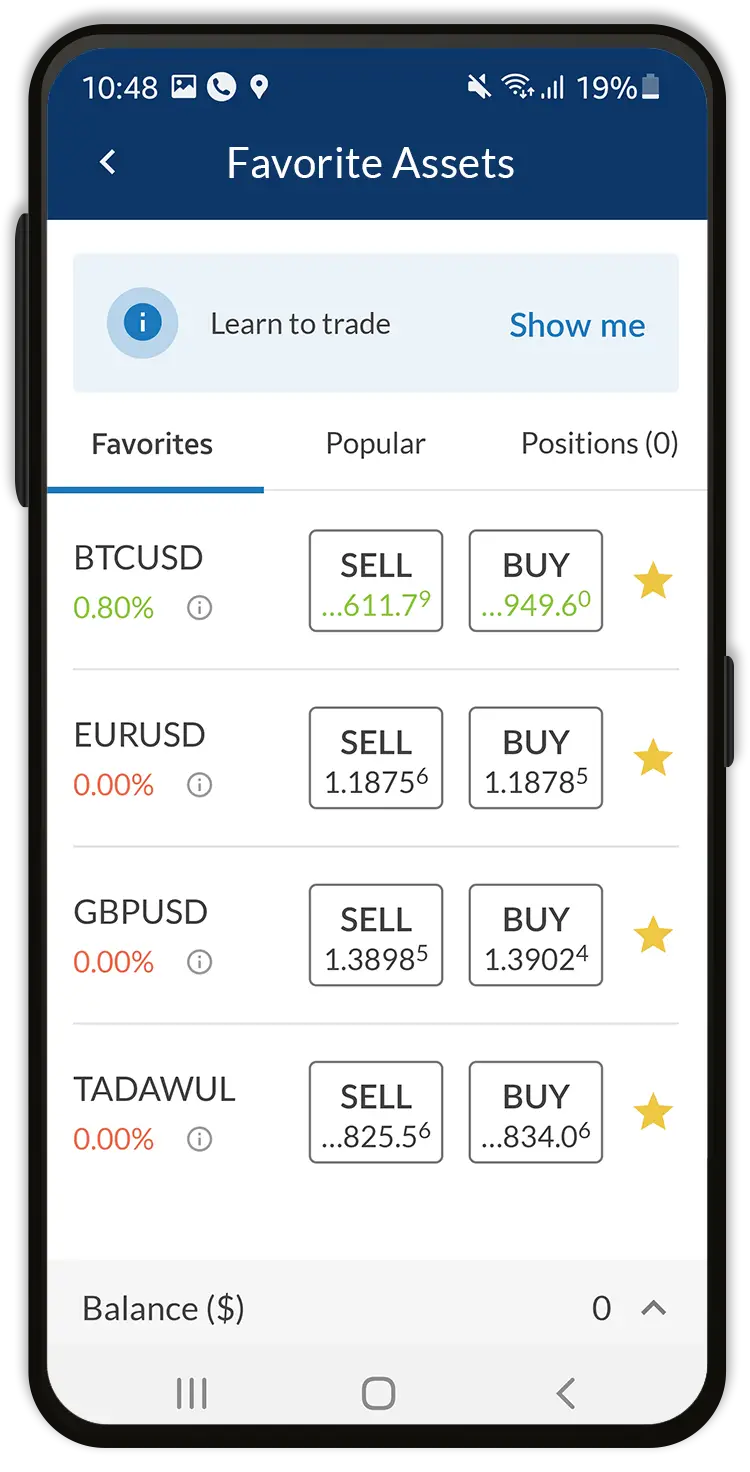
Allows users to view and trade multiple financial assets such as stocks, currencies, and commodities. It shows real-time buy/sell prices, percentage changes, and favorites, enabling users to quickly place orders or monitor market movements.

Design Strategy

The screen is designed to be both information-dense and easily navigable. Users can scan through a large number of assets while maintaining a clean layout that doesn’t overwhelm them. The clear buy/sell buttons ensure fast execution of trades, and the use of color for percentage changes gives users quick visual cues.

Design Decisions
  • Simple Buy/Sell Buttons: Prominent buttons make trading actions immediate.
  • Color Coding for Price Changes: Green/red for easy differentiation of positive and negative movements.
  • Favorites Tab: Personalization feature allows users to track selected assets.
  • Minimalistic Layout: Focuses on clarity while ensuring essential data is easy to find.

Asset Info

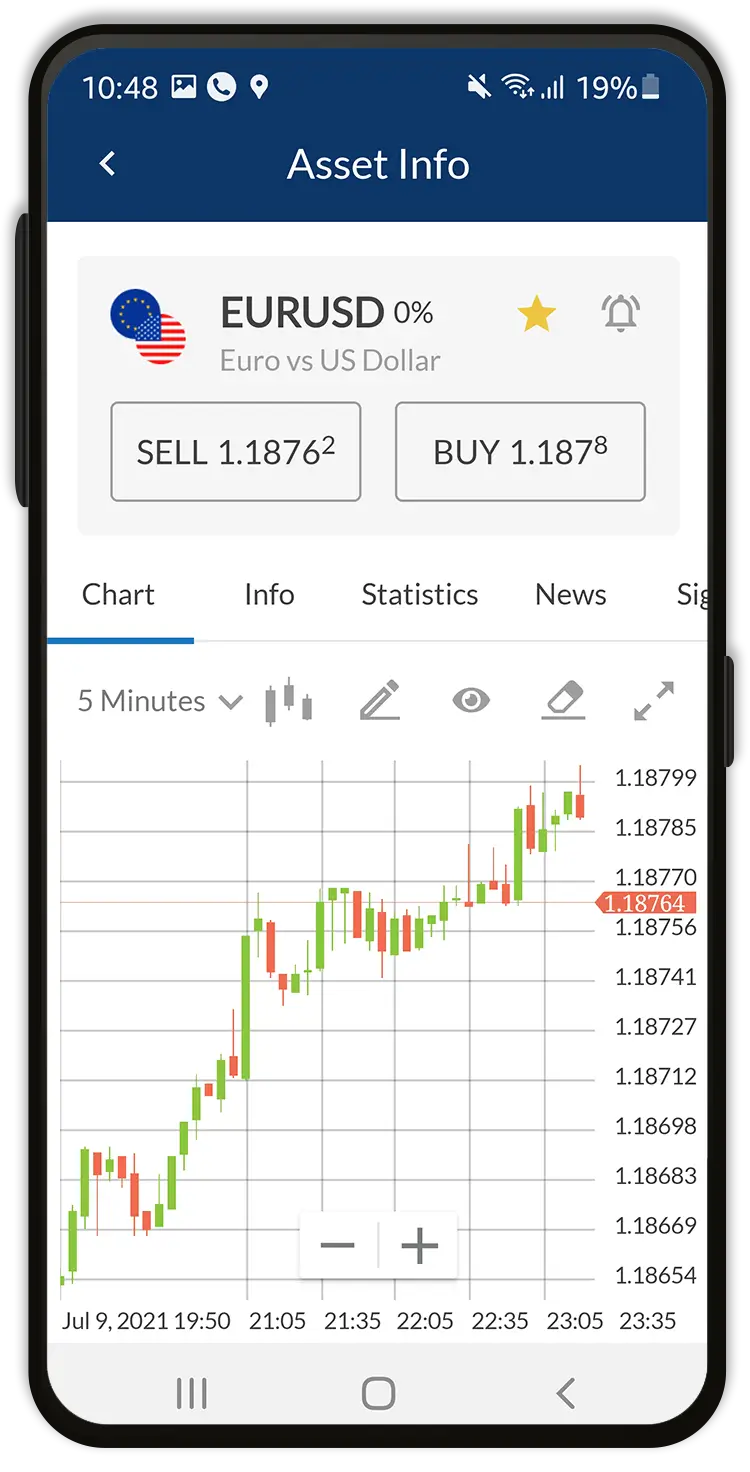
Provides in-depth insights into specific assets, such as real-time market sentiments, daily price highs and lows, and other financial metrics that help traders make more informed decisions. It’s crucial for users who need detailed data before executing trades.

Design Strategy

The layout follows a clean structure, making complex data more digestible. Market sentiments and price trends are shown in an easy-to-read format, balancing technical depth with accessibility for intermediate traders. The chart and data points are arranged to provide quick insights without overwhelming the user with numbers.

Design Decisions
  • Sentiment Bar: Simple buyers/sellers ratio for quick decision-making.
  • Day High/Low Display: Clear, visually distinct representation of price ranges.
  • Tabbed Navigation: Separates different metrics (Info, Statistics, News) for clarity.
  • Consistent Iconography: Visual icons make scanning and understanding data faster.

Trading Signals

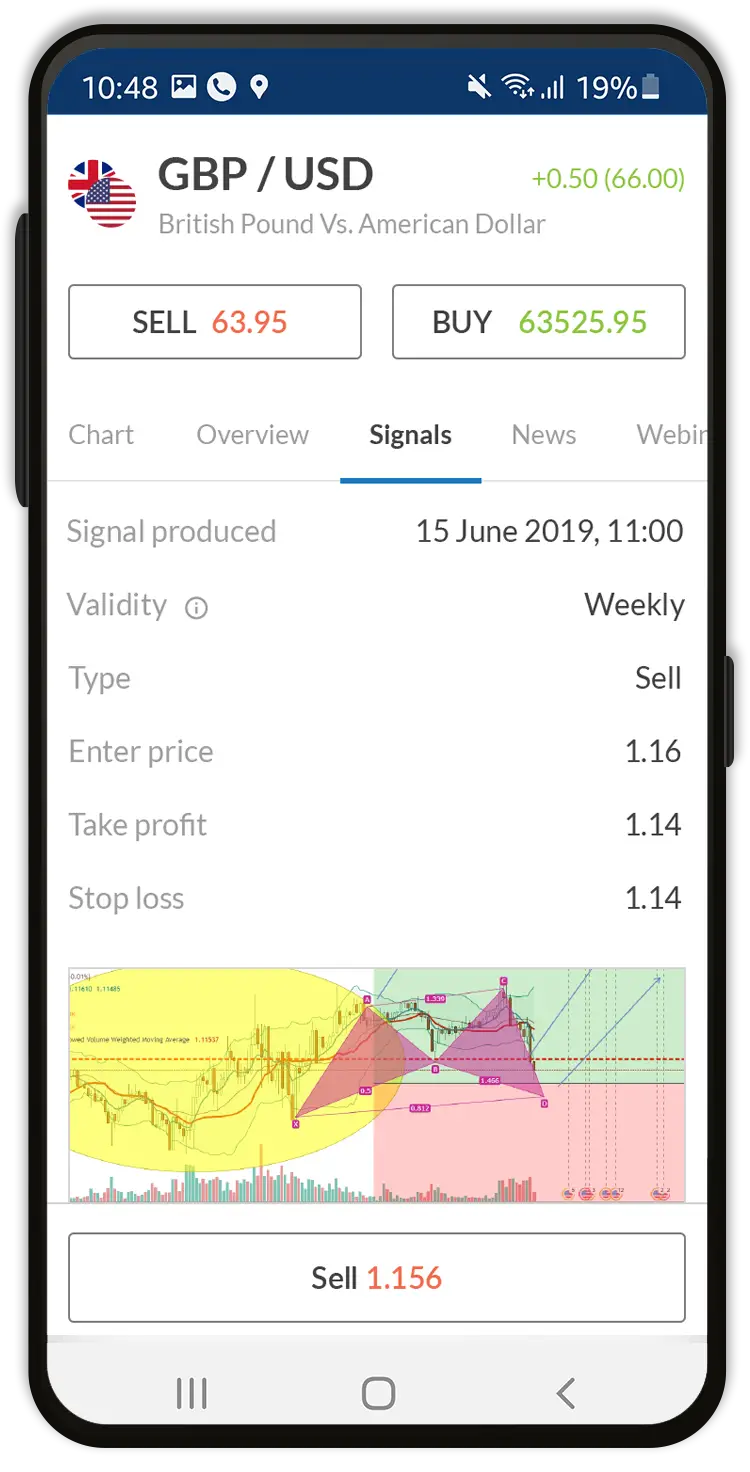
Alerts users to buy/sell opportunities generated by Alvexo’s analysis team. It offers clear recommendations, including entry/exit points, and stop-loss/take-profit targets, helping users execute trades based on expert analysis.

Design Strategy

The design aims to present actionable signals in a straightforward manner. Each signal is accompanied by essential details such as validity and price levels, making it easy for users to act on the signals quickly. The emphasis is on clarity and urgency, with buttons for executing trades directly from the signals screen.

Design Decisions
  • Clear Signal Presentation: Bold presentation of key data like price targets.
  • Urgency Through Typography: Use of larger fonts for immediate action items like buy/sell.
  • Seamless Transition to Trade Execution: Direct trade buttons encourage quick responses.
  • Chart Integration: Immediate access to live charts for further validation of signals.

Open Trade

Enables users to set trade parameters such as lot size, price levels, and stop-loss/take-profit orders. This is where users finalize and execute their trades, providing them control over the details of each transaction.

Design Strategy

This page is designed to minimize friction during the trade execution process. All necessary fields are visible and logically arranged so that traders can fill in their preferences without unnecessary clicks or confusion. The main action—executing the trade—is prominently displayed to reduce cognitive load.

Design Decisions
  • Prominent Action Buttons: Large sell/buy buttons placed centrally for quick action.
  • User-Friendly Input Fields: Easy-to-use sliders and fields for setting trade parameters.
  • Clear Price Breakdown: A simple layout showing margins and total trade value.
  • Minimal Distractions: Focuses entirely on the task of setting up and executing a trade.

Asset News

Delivers up-to-date financial news and analysis. It’s a valuable feature for traders looking to stay informed on market developments that may influence their trading strategies.

Design Strategy

The screen is designed to make reading long-form content as easy as possible, with clear, readable typography and engaging imagery. The aim is to present news in a digestible format while allowing users to link directly to related assets for further action.

Design Decisions
  • Large Headlines: Key news is immediately visible and easy to read.
  • Related Assets: Users can quickly link news to relevant trades.
  • Visuals: Charts and images enhance understanding of market trends.
  • Tabbed Layout: Easy access to additional asset information (e.g., signals, stats).

More Product Designs

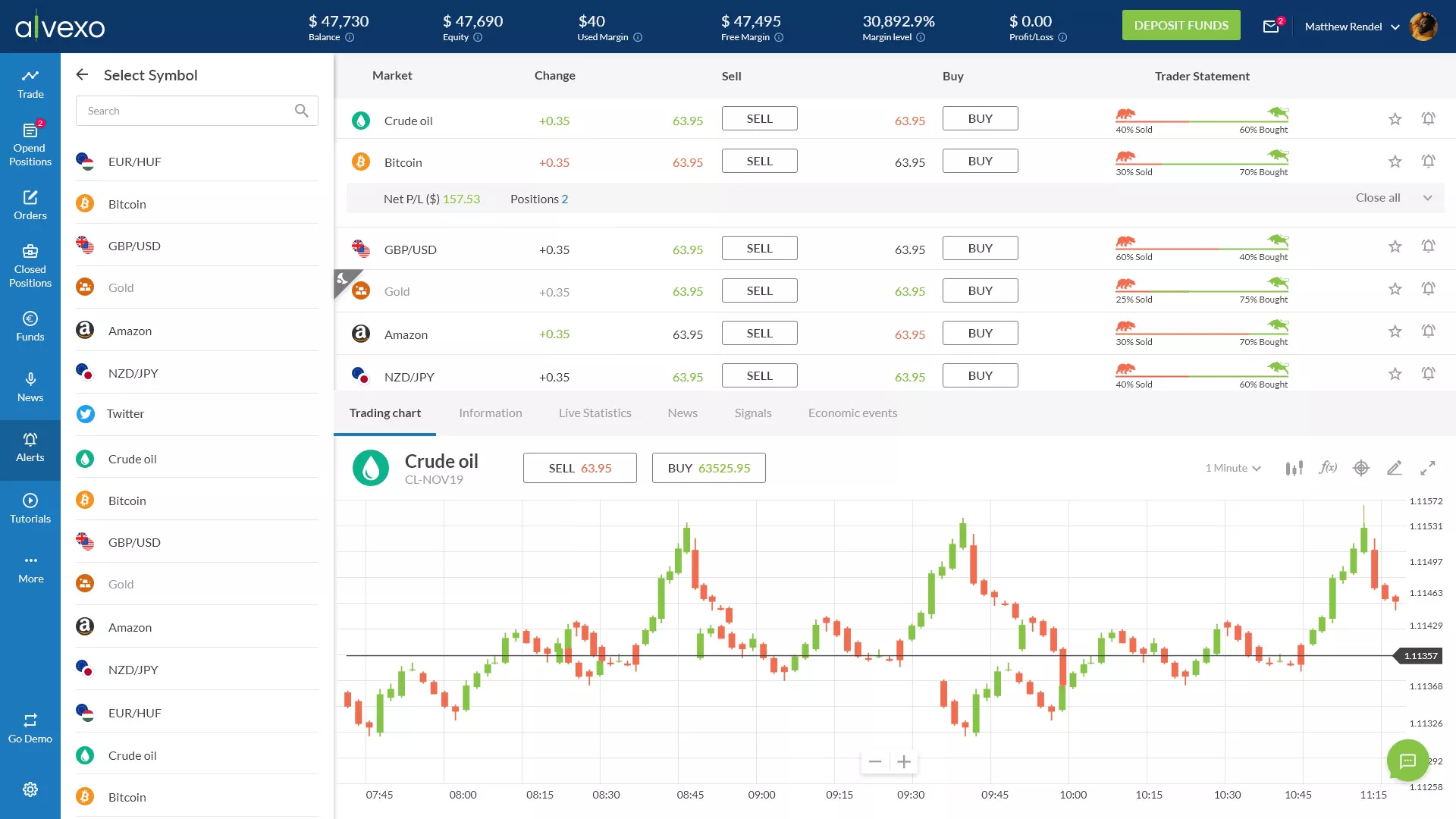
Desktop Trading Platform

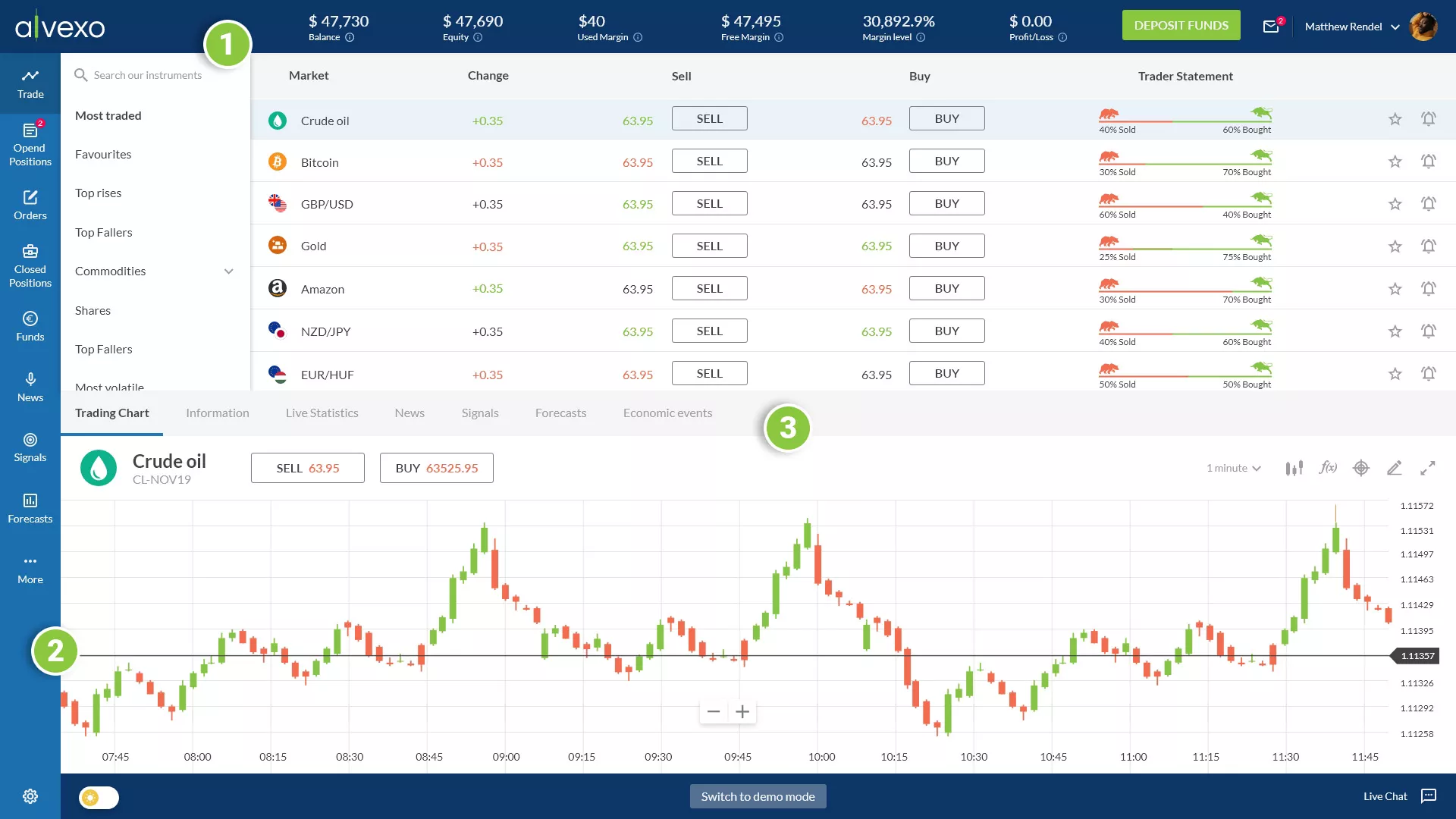
Designed to accommodate a wide range of actions and services without requiring users to leave the screen. It features three primary menu areas:

Top Menu (1)
Displays balance status, a deposit button, and a user options popup menu in the right corner.

Side Menu (2)
Contains actions like positions and orders management, along with access to Alvexo’s content services such as financial news, trading signals, and webinars.

Middle Tab Menu (3)
Provides detailed information about the selected asset, including statistics, news feed, and forecasts.

Trading Signals

The trading signals section is located on the left side of the page and is divided into two main parts: the asset information and the detailed signal data. Trading signals serve as triggers for buying or selling an asset at specific price points, crafted by analysts who combine visual data with pre-defined platform fields.

Asset Information

Displays the selected asset, such as Crude Oil, with key metrics like entry price, target price (TP), and stop-loss (SL) values, along with the validity period and recommendation type (buy/sell).

Detailed Signal Data

Provides in-depth analysis, including preferences, alternative scenarios, comments on technical indicators (e.g., RSI, MACD), and key support and resistance levels.

Asset’s Info

The asset information page provides statistics for specific assets, including price performance, trader sentiments, & daily buy/sell data. Key sections include:

Instrument Info: Leverage, lot size, spreads, pip value, swap rates, and trading hours.
Trader’s Sentiments: Percentage of traders buying and selling the asset.
Daily Low/High: Daily low and high prices.
Price Performance: Performance over various time periods.

Design Strategy

The design focuses on creating a user-centric, visually intuitive layout that highlights key data points clearly and consistently. Emphasizing data visualization and a clear hierarchy, the design ensures traders can quickly and easily interpret critical information, enhancing their trading experience.

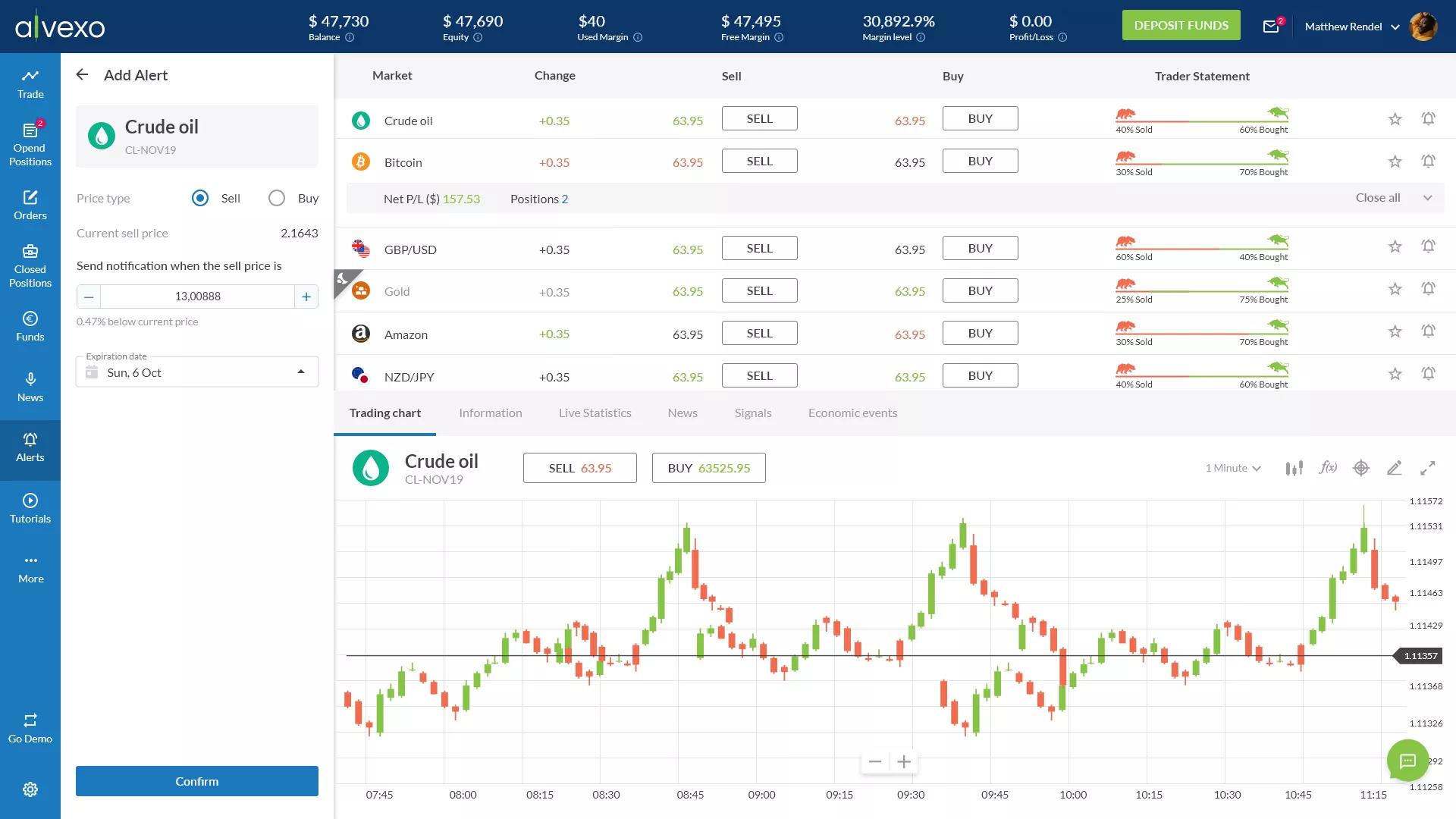
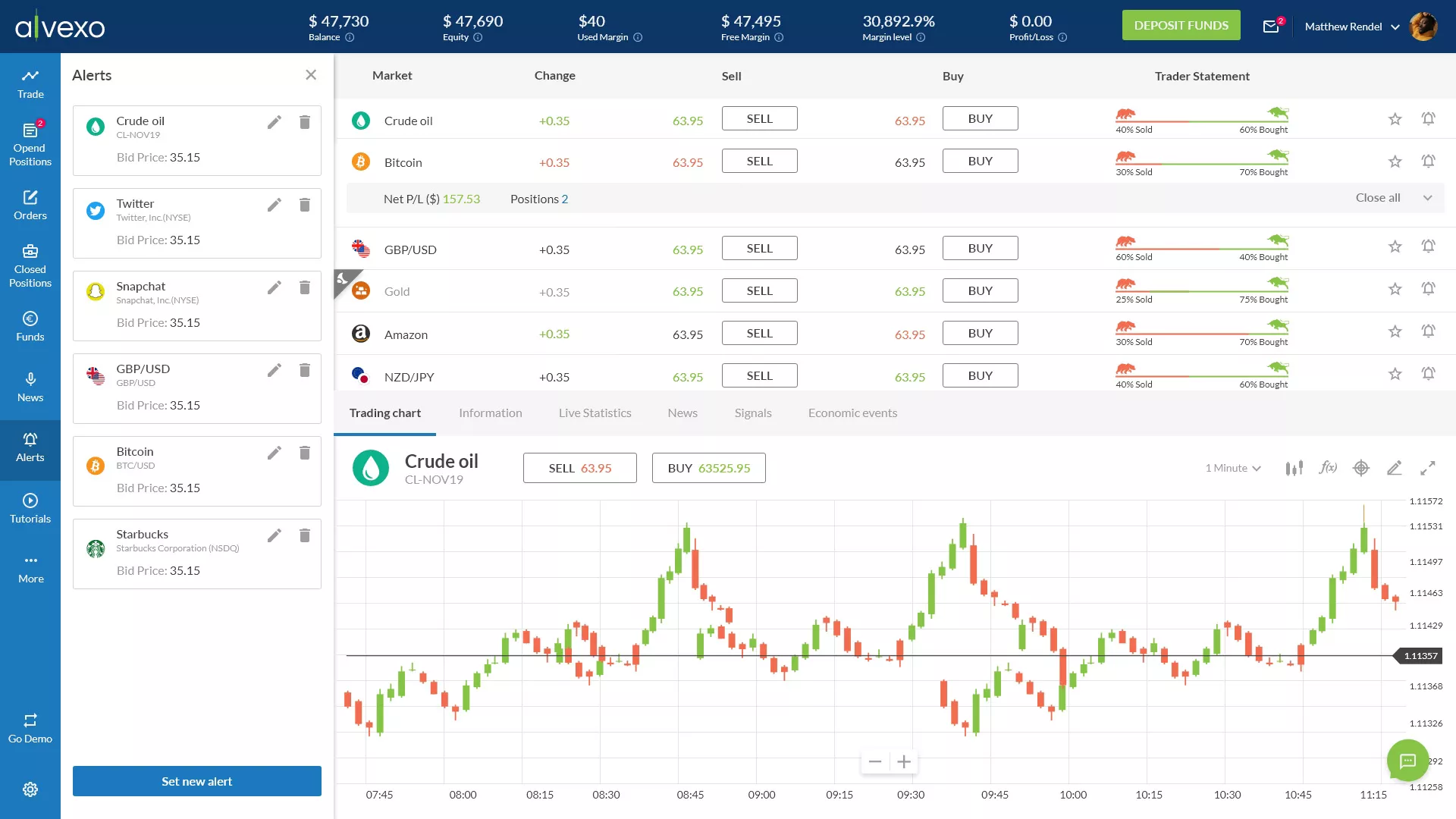
Set Alerts

Traders can set alerts for specific assets to receive notifications when the asset hits a predetermined price point. This helps in making timely trading decisions without continuously monitoring the market.

Design Strategy

The trading alerts feature was designed for simplicity and efficiency. Users can easily set alerts by specifying the asset, target price, and notification preferences, ensuring they never miss critical market movements. The interface provides a clear and intuitive process for setting and managing alerts.